Monday, 24 September 2012

Window Media Player


                      Windows media Player

Agar  app jaisa ki chetra me dikhay gaya hai ki window media player ko taskbar  me quick launch aur nayi style me dekhna chate hai to neeche diye gayi step fallow karen……….
1.         Right button click on task bar.
2.         click toolbars and click windows media player.
3.         when open your windows media player. 
  

Sunday, 23 September 2012

Browsers


                                           Browsers:-

Net surfing aur user ki beech aham kadi hai. Browser . bina browser ke netsurfing karna sambh nahi hai humme se adhikansh log apna vakt computer per browsing karte hue bitate hai kah sakte hai ki browser computer per sabse jyada estemal hine wala software hai. Lekin jab hum baat karte hai browser ki, to hamare jahan me sabse pahle ek hi 
naam ata hai, Internet Explorer ka. Siber world me IE yani Internet Explorer akela browser nahi hai. Google Chrome, firefox,Safari, aur Opera hai. Jaise browser internet Explorer ko khasi taker de rahe hain. Internet ki duniyaa ki duniyaa per enhi 5 browser ka kabja hai. User ki jaroorat ko dekte hue compines lagatar apne browser update kar rahi hai yani ki verchas ki jang browser world me bhi jari hai.

Friday, 21 September 2012

Pledge


                                   Pledge


I will always try and be the best in whatever I do.
I will not relax once I have reached my goal.
I will strive to improve further and expand my sphere.
Because I am convinced that there is always scope for further improvement and growth.
Besides I realize that life is a journey not a destination.
While I climb to the top, I will remember my humble beginning.
How U.T.C made a difference to my life.
“T will do my best to make a difference in the lives of those who are less fortunate.
I will always do that which will make my family, my community and my country, and human beings proud.”

        Thank God                   Thank God                           Thank God


Wednesday, 19 September 2012

Oprating System


                      Operating System:-

Yah system software ka vh bhag hai, jo computer ka sanchalan karta hai eska karya upyogkarta  ke addeshon ko samjhker unke anusar computer de karya karana hota hai. Yah computer aur uske upyogkaarta ke beech samband banata hai.
Sabhi computer chips , wires aadi se bana hota hai aur usse koi ka karane ke liye hume poore aur sahi adesh dene padte hai, ye adesh kisi aisi bhasa me hone chaiye jise computer sake, computer vasstav me keval oprating system ki bhasa sajhta hai. Oprating system hi computer ka superwiser ya manager hai esliye hum apne adesh apne bhasa me kam shabdo me operating system ki dete hai, yadi humare aur computer ke beech me oprating system na ho to hum coputer se koi kam nahi kara sakete hai.

How to connect System


                               Setting Up a System:-

Yah Jan lene ke baad ki computer ke bhibinn bhag kaise kam karte hai. Ab hum ek system ko set karne , arthat Monitor,system unit , keyboard , mouse aur Ups ko lagane ka tarike seekhenge.

Connecting to the System Unit:-

Bhibinn upkarno jaise – Monitor, keyboard, mouse, printer, speaker aadi KO system unit se jodne ke liye nimnlikhit tarike hai.
1.       Keyboard me ek rounded plug hoti hai esme 5 chote pins lage hote hai. Ese tower (A) me lagaye.
2.       Mouse ke plug ko tower ya system unit ke peeche (B) me lagaya jata hai.
3.       Monitor me do plug cables hote hai enme se ek cable, tower (C) ke sath joda jata hai.
4.       Printer ka plug, tower (E) me joda jata hai.
5.       Speakers KO tower (E) me joda jata hai.


Connecting the Electrical Wires:-

Monitor tatha System Unit ke taron KO es prakar jode:-
1.       System Unit ya Tower KO outlet (F) ke sath joda jata hai.
2.       Monitor me do cables rahte hai enme se ek taar bijali KO monitor tak le jata hai. Monitor KO outlet (G) ke sath joda jata hai.
3.       Printer ke plug ko bijali ki aapurti (H) se jodna chaiye.
4.       Speaker tak bijali ki aapurti karne wala plug outlet (I) se joda Jana chaiye.


Monday, 17 September 2012

Very small Robot


                              Very Small Robot:-

America ke scientist ne hall hi me ek aisa Robot taiyar kiya hai ki jiski motai milimeater ke 100 ve bhag jitani. Es  Robot ke dora dhool ke ati suchm kadon ya aisi choti cheejo ko uthaker ek jagah se doosri jagah le jaya ja sakta hai Robot ke Aage laga saman uthane wala carrer Enlish ke full stop (.)
 Jaisi ek golakar sarnrachna hai jis per ati suchm vastuyon ko utha sakata hai.
Yah Robot silicon ka bana hai tatha ed second me 200 micrometer ki doori ker sakta hai. Robot ki yah gati ek vishesh prakar ki electronic maganetic satah per hi sambh hai esme koi injan hani hota hai . silicon per lage node electronic field se aakersit aur viksit hote hai electro magantic satah ke neeche hone wale electroni field ke parivartan ke anusar hi yah aage peeche gati karta hai . electro field ke parivartan se Robot me lage career ko jhukane  aur Uthane ke bhi madad milti hai . es prakar electro maganatic satah ke electro field ko niyantrit athva parivartit karne wala romote control  es Robot ko asani  se gati kara sakta hai eska upyog ati suchm padarthon per hone wale pryog athva chiktsa ke chetra e upyogi ho sakta hai.
   

Saturday, 15 September 2012

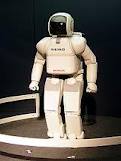
What is Robot


                                         ROBOT:-

Computers nee  ese anek kamo ko karne karne me robot ke liye raste khol diye hai jisko karne me manav  ki jaan kahtre me hoti thi. Ye Robot ese kamo ko anja de rahe hai jo inshan ke liye kaphi apriya , khatarnak aur sankatpurn hai . Ex ke liye ese Robot ka jikr kiya ja sakta hai jo aatankbadi khatro ke karan khartanak sajhe jane wale chetra me karya kar te hai alan ese Robot jo Bum ki sambhna 
 wale dibbe ko kholta hai.
Etna hi nahi America e Robot ka proyog raat me jail ke galiyaro me gust lagane ke karya me bhi kiya jata hai Robot kai kathin karto ko inshan se jyada behtar tarike se karta hai . Yah alag baat hai ki en Robots ne karrkhano ke karmchariyo ki anek jobeskhatm kar di hai jo ek kathin samajik samsya hai Suchna yug humare upper kitna hoby hai, Robot eskea doosra sanket hai.

LinkWithin

Related Posts Plugin for WordPress, Blogger...